
This article explains how to use the built-in page editor WP Bakery to hide content or sections on your website pages.
1. To hide page content, first go to the page were you want to make the change.
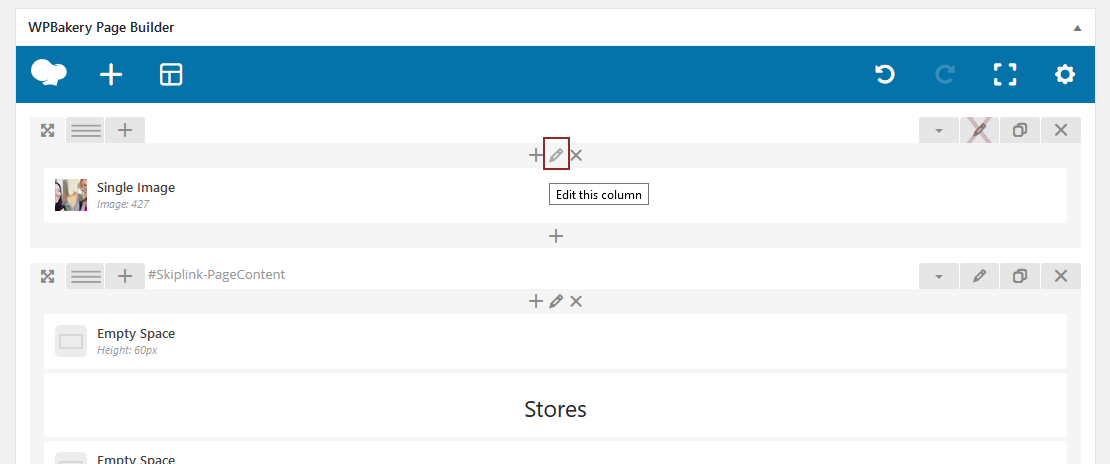
2. Once on the page edit the column you want to hide. (Please note you can’t hide rows, only columns.) To edit the column, click the pencil icon at the top of the column.
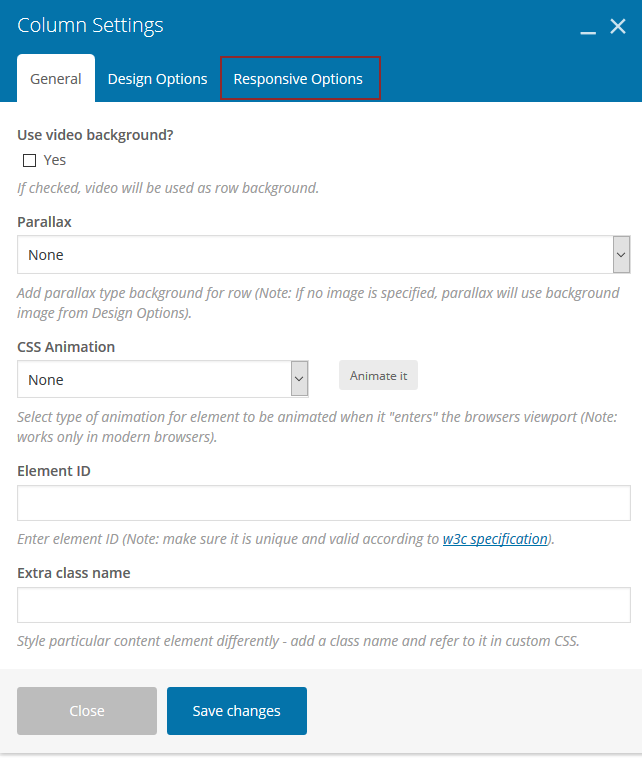
3. Then in the new “Column Settings” dialogue box that pops up, select the “Responsive Options” tab.
4. In the “Hide On Device” section, check all of the boxes, then click the Save Changes button.
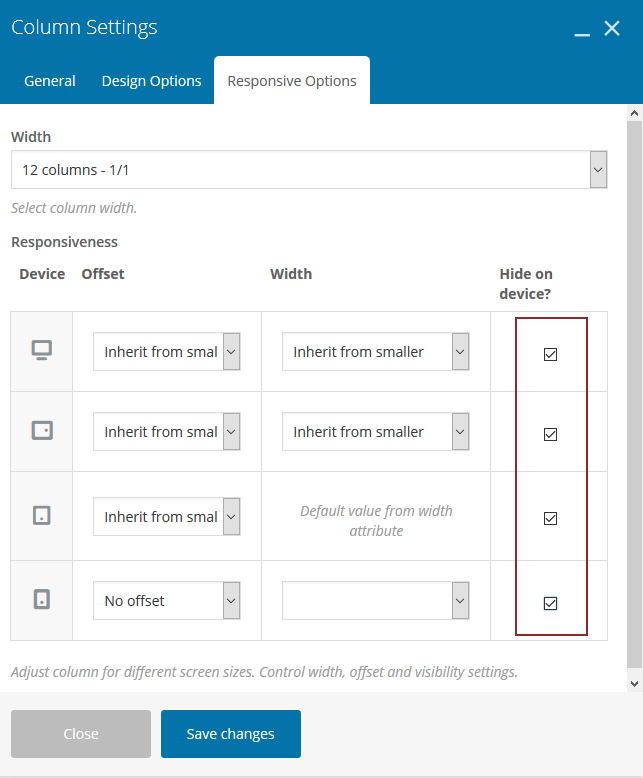
**** To unhide the column, follow these instructions and uncheck these boxes.