
Yoast also makes it easy to edit the Twitter Share for each page. The Twitter Share is info that is automatically shared, when website visitors share the page to Twitter. The three pieces of information that are shared are the Title, Description and Image. Btw. We have set up your property logo to be used as the graphic for each page, unless you choose a new image.
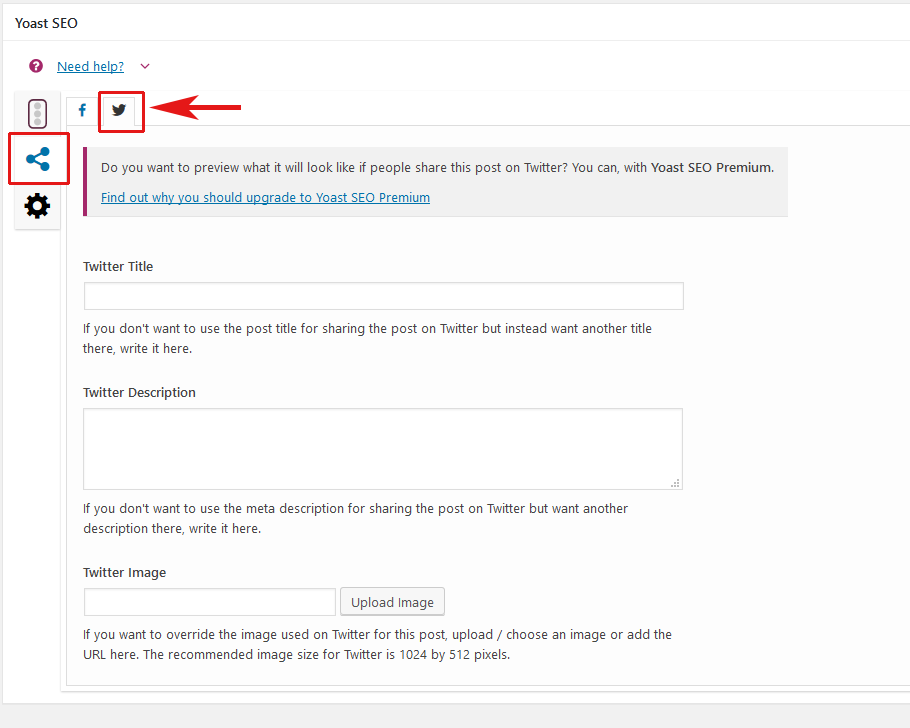
To access the Twitter page within the Yoast Meta Box, click on the share icon shown in the image below and then click the Twitter tab. Once there fill in the Twitter Title, Description and choose an image to represent the page.
Here is another article on how to set up a Twitter Card for your site.